

Create an account
Sign up on the sandbox portal and start testing in minutes.
To use Zoorya Pay you need a merchant account. Start with a sandbox account: it takes a few minutes, needs no documents, and lets you build and test with test money. When you are ready for real payments, you create a separate production account and register your business.
Sandbox account#
The sandbox needs no business documents.
- 1
Open the sandbox portal
Go to merchant.sandbox.zooryapay.et and choose to create an account.
- 2
Fill in the sign-up form
Enter your first name, last name, business name, email and a password.
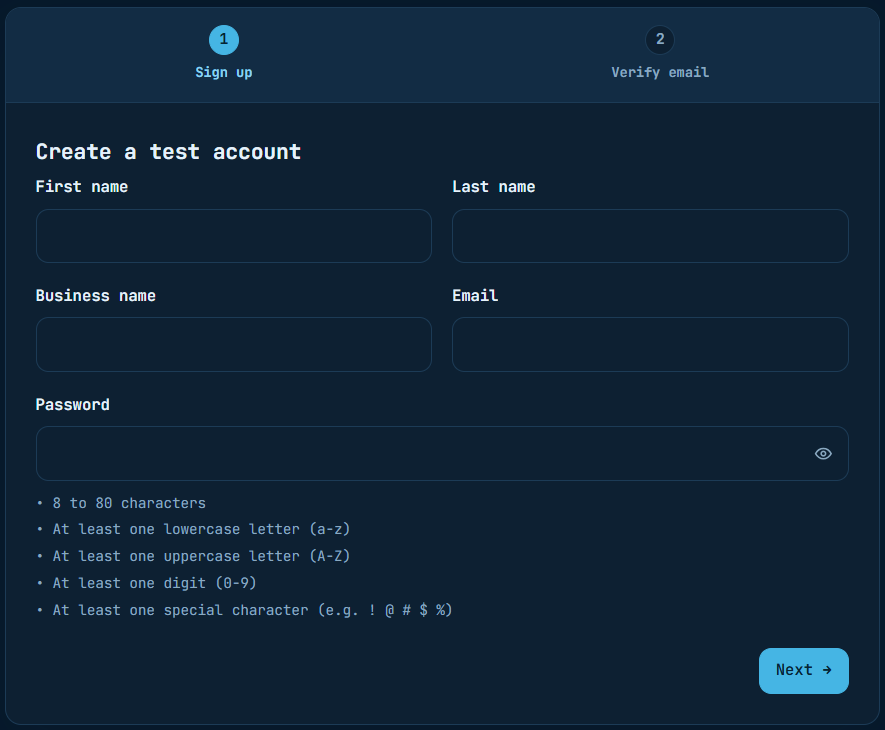
The password must have:
- 8 to 80 characters
- at least one lowercase letter (a–z)
- at least one uppercase letter (A–Z)
- at least one digit (0–9)
- at least one special character, e.g.
! @ # $ %
- 3
Verify your email
Complete the Verify email step. Your sandbox account and wallet are created, and you land in the portal.
Next: Get your API keys.
Production account#
Production moves real money, so Zoorya Pay checks the owner and the business first: owner identity, business details, four documents, then a review by the compliance team.
Production sign-up, step by stepEvery screen from sign-up to approval.